Trackberry is now in Claude and ChatGPT
Add Trackberry from the Claude or ChatGPT directory and ask about free time, ETAs, missing paperwork and unsold stock. Read-only.
It’s Monday morning and you want to know three things: which containers will start costing demurrage this week, which ETAs have slipped since Friday, and which shipments still have no phyto. Until now that meant three tabs and a filter on each.
Trackberry is now listed in Claude’s connector directory and in ChatGPT’s plugin directory. Add it once, then ask either assistant. The answers come from your live Trackberry data.
In Claude
Open Trackberry in the Claude directory and click Connect. Sign in to Trackberry, choose the organisation Claude may read, and click Approve. In a conversation, open the + menu, then Connectors, and switch Trackberry on. It works in Claude on the web, the desktop app and the iPhone app.
In ChatGPT
Open Trackberry in the ChatGPT directory and add it. Approve on the Trackberry page the same way, then pick Trackberry from the + menu in a conversation.
On both, the approval page shows the address you will be sent back to (claude.ai or chatgpt.com). If it shows anything else, deny it.
Using Claude Code, Cursor or an API token instead? The steps are in Connect Trackberry to your AI assistant.
What to ask
Specific questions about your own shipments work best:
- “Which containers are at risk of demurrage this week, and how many days does each have left?”
- “Which shipments arriving next week had their ETA pushed back, and by how much?”
- “Which shipments in transit have no commercial invoice attached?”
- “How many size 14 avocados for Rotterdam are not pre-allocated yet, with a QC score of at least 6?”
- “Anything wrong with my shipments today?”
You can also ask it to draft a short status email for a customer from one shipment’s timeline. You read it and send it yourself.
What the answers can look like
The screenshots below are from Claude and use demo data for an invented importer. The containers, companies, documents and figures are all made up.
Trackberry supplies the shipment facts: routes, ETAs, documents and volumes. Weather, canal news and duty rates come from the assistant and its web search, so treat them as its own estimate.
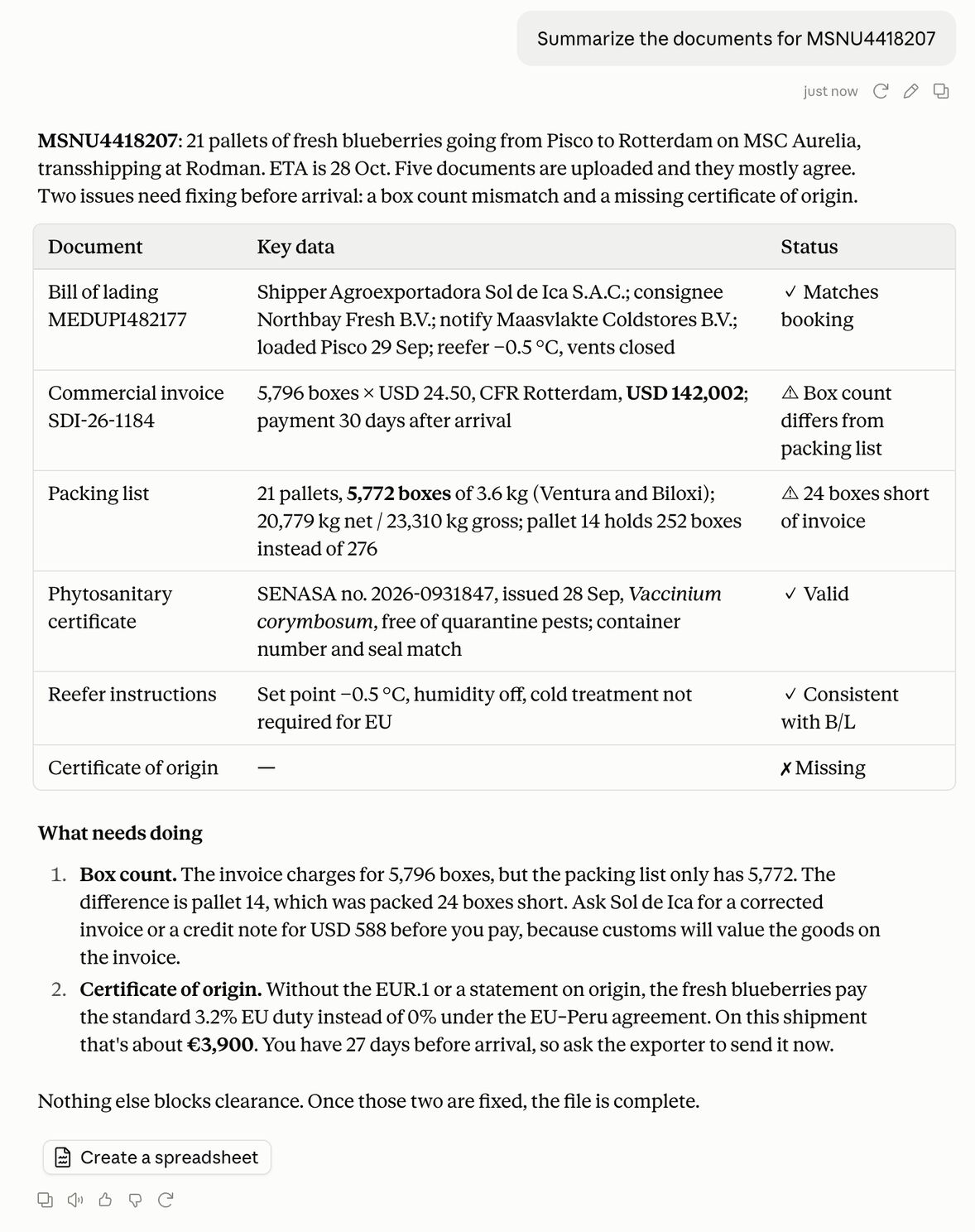
The assistant can read the original files as well as the fields we extracted. Here it compares the documents on one container, and finds an invoice that charges for 24 more boxes than the packing list shows.
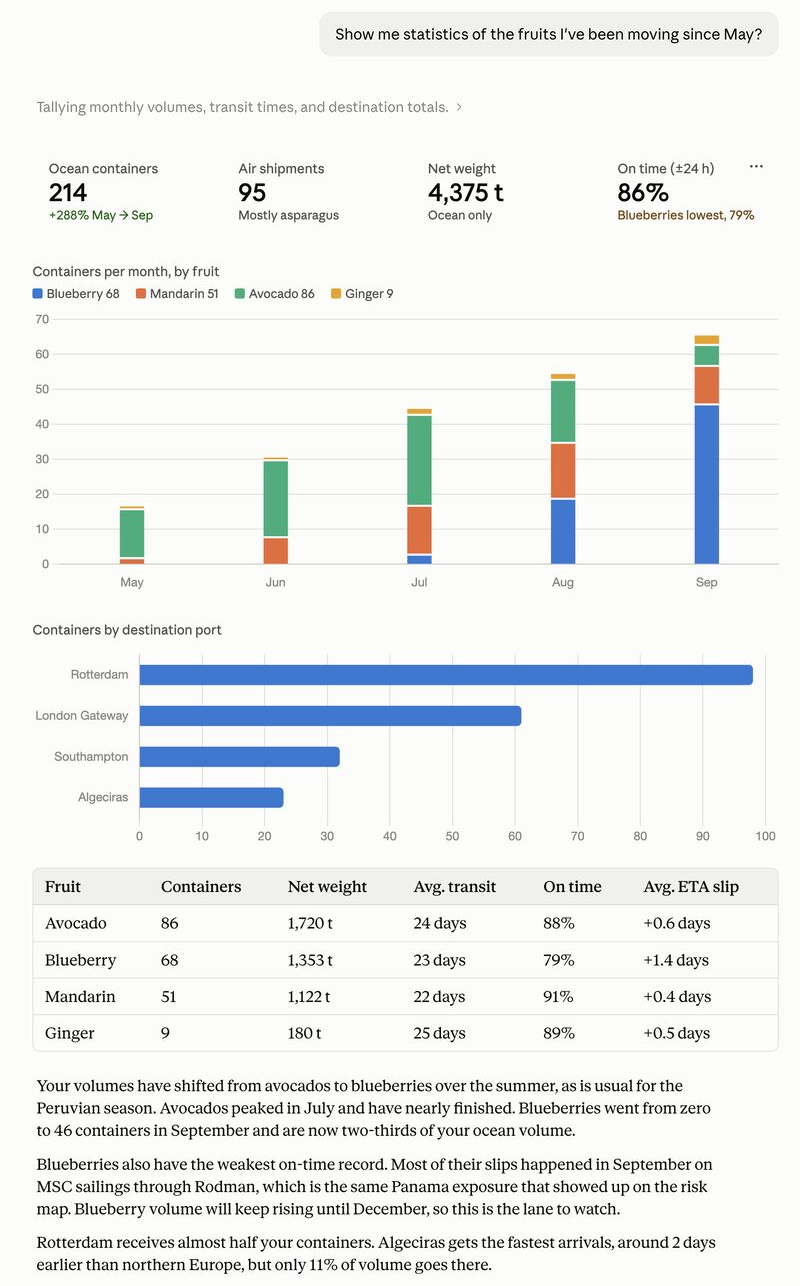
It can add up across your shipments, and draw the charts itself.
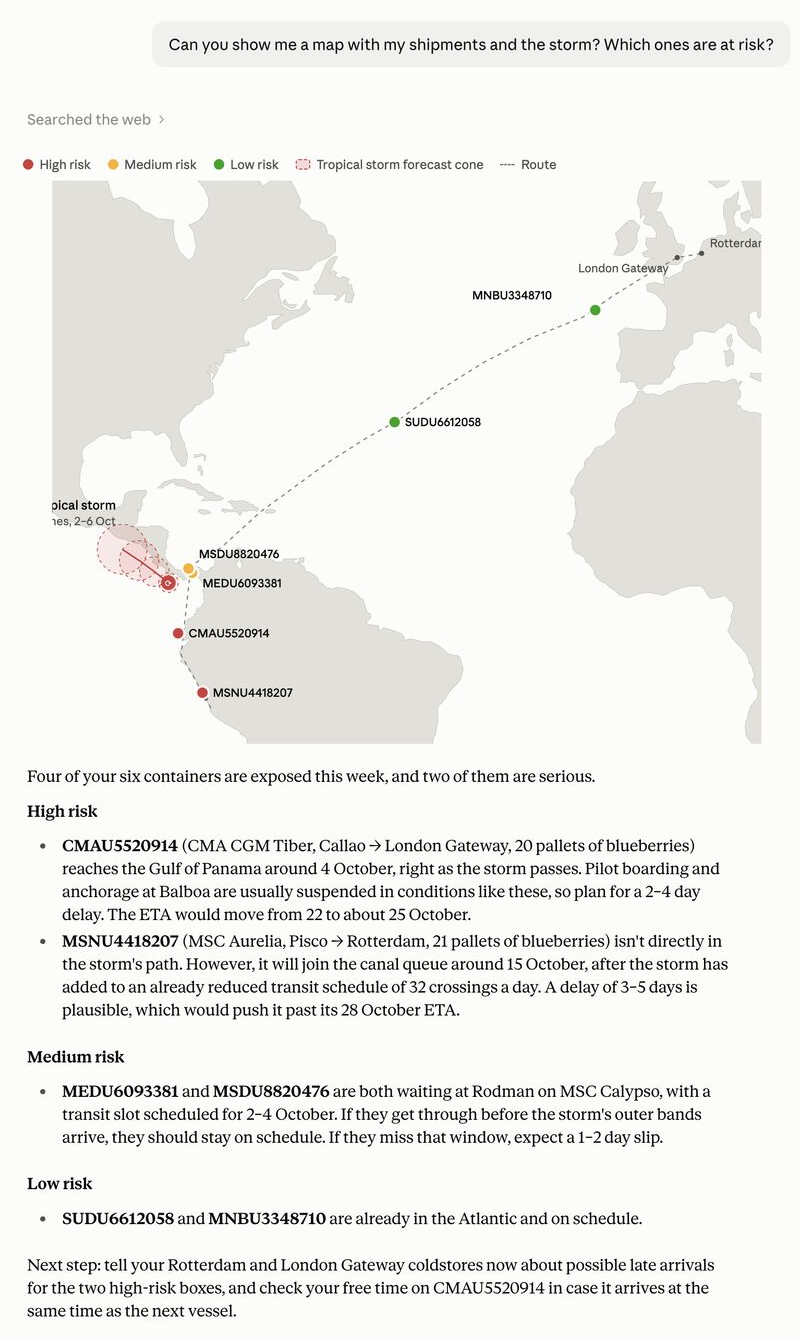
With web search on, it can compare your shipments with what is happening outside. Here we asked about a tropical storm near the Panama Canal. Claude drew this map itself for the answer.
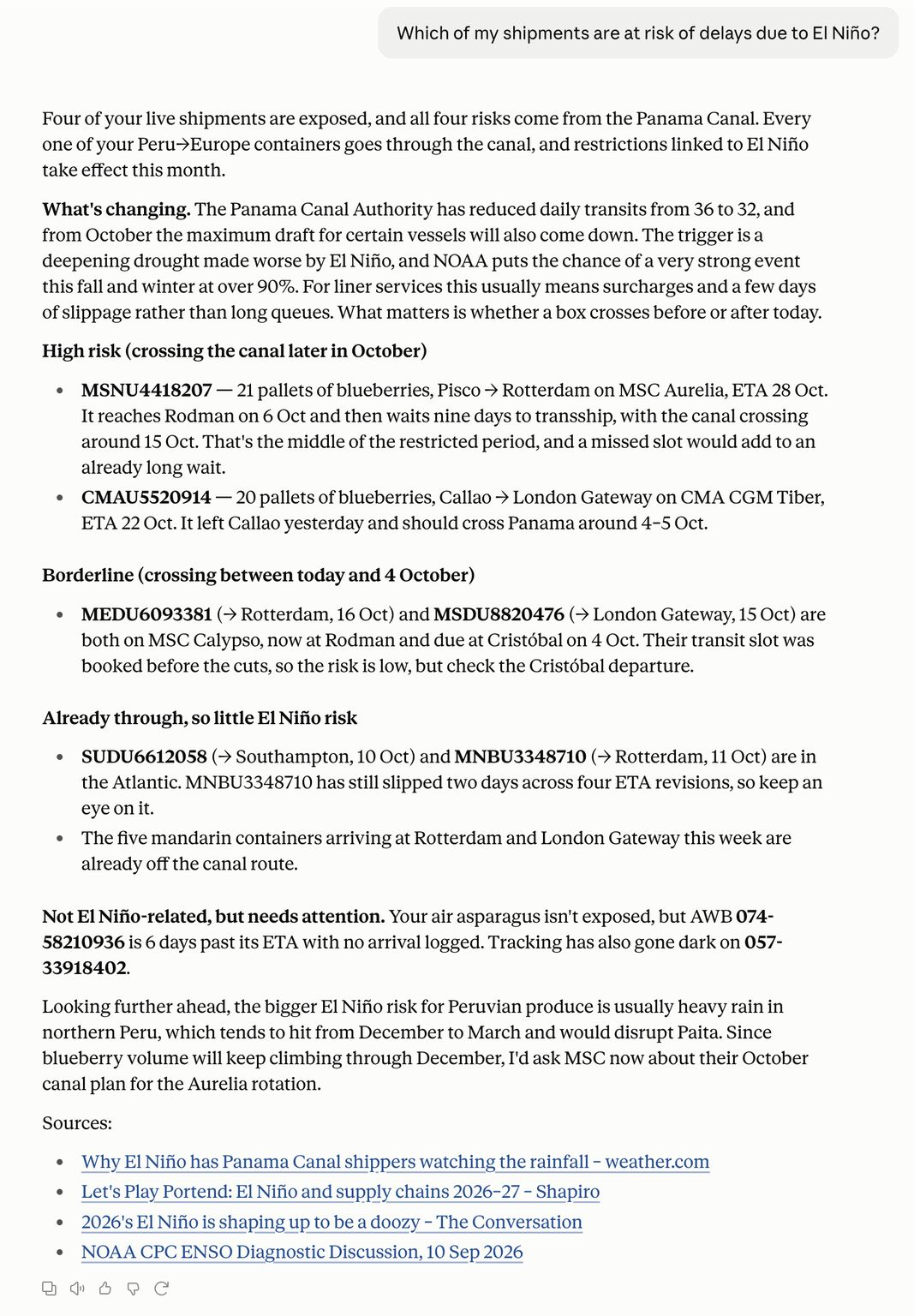
The same works for a slower risk, such as El Niño and the limits on Panama Canal crossings.
A map in the conversation
When you ask where a shipment is, Claude (web, desktop and iPhone) and ChatGPT show the same map as the shipment page in Trackberry: the route sailed and still to sail, the ports, and the vessel’s real reported positions. Claude Code gives the same answer as text.
It can read, but it cannot change anything
The connection is read-only. The assistant can’t change a shipment, send an email or delete a document. It sees only what you can already see in Trackberry, for one organisation per connection. If you leave the organisation, it stops working straight away.
Admins can see and disconnect every member’s connected apps under Settings → API tokens, and every approval is recorded in the Activity Log.
The assistant reads the data correctly but can still summarise it badly, so check the figures that matter before you act on them.
FAQ
Does it cost extra?
No. Every Trackberry plan includes it. Custom connectors may depend on your Claude or ChatGPT plan.
Can the assistant change my data?
No. There are no tools that write. It can only read shipments, tracking, alerts, documents and stock.
Where does my data go?
What Trackberry returns to the assistant becomes part of your conversation with Claude or ChatGPT, under their terms. Only connect organisations whose data you are happy to discuss with that assistant.
I have several organisations. Can it see all of them?
One at a time. To ask about another, connect again and choose it.